Business Tips
Team Deskworks
September 9, 2026

Coworking Member Onboarding is the sequence of steps that turn a new sign-up into a productive, engaged member. It covers registration, initial payment, facility access, orientation, and first successful use of the space. Done well, it takes minutes, not weeks, and cuts churn before it starts.
As a coworking space operator, you need to bring new members in quickly, happily and confidently, without spending hours walking them through every little detail. Members want to hit the ground running, and your team needs a system that gets them there with minimal friction.
Here are 7 ways to speed up your onboarding process without sacrificing warmth, clarity, or connection, plus a look at why fast onboarding is really a churn intervention and how to spot the early signs that yours isn't working.
Coworking member onboarding is the operational sequence that moves a new sign-up from paperwork to their first productive session in the space. It typically covers online sign-up, payment setup, building and Wi-Fi access, orientation to the space and its policies, and the first booking or check-in.
The best onboarding processes are automated, where they can be, and personal, where they should be. The automation handles sign-up, payment, and access. The human touch handles introductions, functional tours, and community fit. Both matter, but they're addressing different issues.

Fast onboarding is a retention strategy, not a hospitality ritual. The first weeks decide whether a member sticks, and the members who find their rhythm early are the ones still there a year later. The retention math is on the operator's side, but only if the member gets to a productive first month.
Annual member churn of 5 to 7 percent is generally considered manageable for a stable coworking space. Above 10 percent warrants investigation. Look at average membership duration to understand whether members are leaving early (an onboarding or fit problem) or after a longer tenure (a pricing or experience problem). Each has its own solution, but only the first is fixable at the sign-up stage. And don’t forget, leaving after a long tenure may not be a problem at all. You may have provided the right space for growth, and now the chick is leaving the nest!
Onboarding is also a Community Manager (CM) time problem. A single CM is running a daily juggling act of onboarding new members, responding to customer inquiries, giving tours to prospects, organizing community events, running social media, processing mail, handling reservation logistics, and troubleshooting technical issues. Every manual onboarding step compounds. The operators who scale are the ones who move sign-up, payment, access, and first booking off the CM's plate entirely.
Let members sign up, choose a plan, and enter payment details online, before they walk through the door. A robust registration flow does more than collect a name and email. It sets up recurring billing, creates the member profile, prorates the first charge based on start date, captures the payment method, and processes the first payment in one continuous flow. The new member is then in your system, set up for fully automatic operations going forward, and your team can focus on integrating them into the community instead of collecting paperwork.
For simpler plans like virtual memberships or prepaid buckets of hours, place a Buy-It-Now button for the product directly on your marketing site. A prospect is one click away from signing up, without needing a call with your team to walk through available plans.
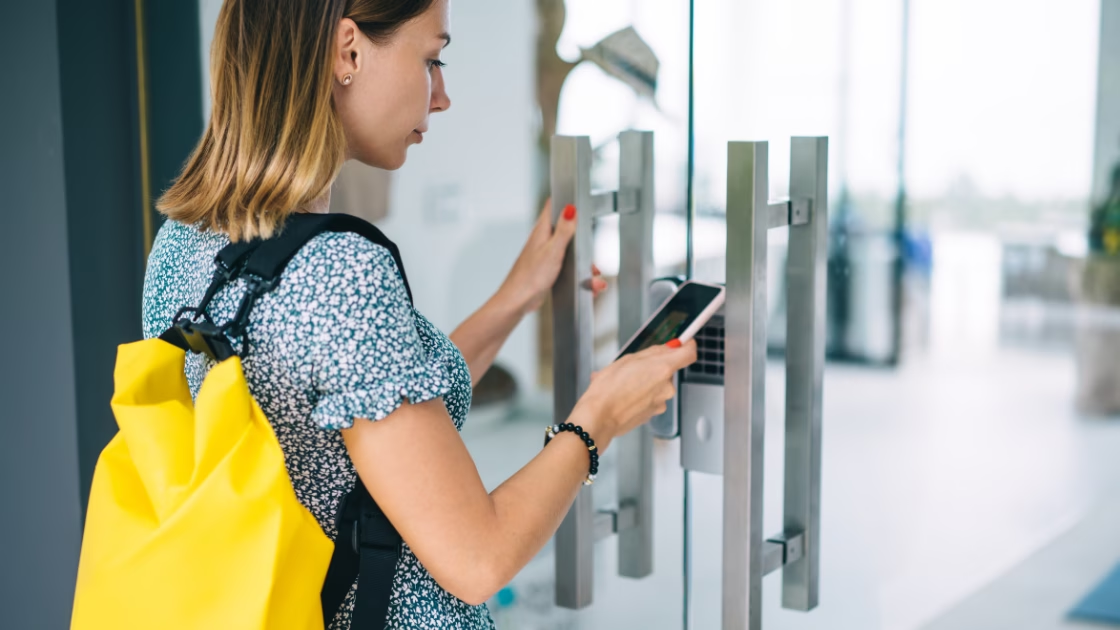
Manual door access setup slows everything down. When your coworking software is integrated with your access control system, new members are automatically granted the right access based on their membership plan, without a CM having to manually set up which spaces and doors they can unlock.
Mobile access can save CMs even more time by eliminating the need to program and issue physical fobs or cards. New members can use their phones to access the space, allowing them to walk in and get to work without stopping by to pick up a key. This is especially convenient for large teams, where coordinating physical keys for every new member can add up quickly.
The most widely used access control platforms in coworking, Kisi, Brivo, Salto, Avigilon Alta, and Doorflow, all integrate with modern coworking management software through direct API connections. When a member signs up, their access permissions are provisioned in the same transaction. When they cancel, access is revoked automatically. No manual sync, no security gap, no CM having to remember a task. For deeper detail on choosing the right access control setup, see our guide to access control for coworking spaces.
One login is all a new member needs. A single sign-on gives them access to their billing account, booking system, member directory, and even internet access. With the right software integration, Wi-Fi login credentials can inherit their main member profile through an Intelligent Network Check-in system, so they're never handed a printed Wi-Fi password on their first day.
One login also means one place for the member to reset a password, update a payment method, or check a booking. Fewer accounts means fewer support tickets.
Printing should be painless. By integrating your coworking software with a driverless print solution, members can be automatically connected using their email or login when they sign up. We won't promise every setup will be seamless, but without printer drivers to install or update, it's faster, cleaner, and far less prone to errors.
Store clear, step-by-step instructions for connecting each device directly in the member portal. Members will be printing in minutes, with little to no help from your team.
One welcome resource does double duty. It's a go-to guide for new members and a checklist for your Community Manager (or whoever runs onboarding), so nothing gets skipped when the day gets busy.
Include the essentials:
Highlight the most important sections and use the packet during in-person onboarding to walk through the key points. Be sure a digital copy is in the online member portal so members can pull it up on their phone weeks later.

Sure, they may have toured the space before signing up. But now that they're a member, they need to see it with fresh eyes. Walk them through the space as a member of the community, not as a prospect. Show them how to check-in, where to take calls, how to make coffee, and where to find supplies.
Demonstrating is faster and more memorable than explaining.
As you walk, introduce them to a few fellow members. These quick intros help them feel part of the community right away, and community connections are one of the strongest retention signals in coworking.
Don’t waste time searching for contracts or printing forms at the last minute. Keep your contracts, onboarding packets, and other member documents digital in your coworking software so they’re easy to find, update, and share.
From there, look for ways to automate more of the process. Contract generators can pre-fill agreements using the member and plan information already in your system, e-signing tools can collect signatures without printing or scanning, and automated welcome letters can send new members the information they need as soon as they sign up.
Digital contracts also mean the audit trail lives in the system, not in a filing cabinet. If a member disputes a charge or you need to look up when their agreement started, the record is easy to find. And be sure members can access their agreements and other important documents from their Member Portal, too.

Onboarding starts before the first email. If prospective members can only "learn more" and "book a tour" from your website, you're forcing every sign-up through a manual sales conversation. The operators who move new members from sign-up to first booking in minutes, not weeks, remove that step by making the website itself the selection tool.
From Barbara Sprenger, Deskworks Founder and CPO:
Make your website a true selection tool. Prospective members should be able to see and understand all your plans, see pricing, make a selection, agree to Terms of Service, and pay!
That means four capabilities on the site itself:
Deskworks supports all four through the member sign-up form and the interactive floor plan feature (embeddable on your own website). When these are wired together, a prospect can go from landing on your homepage to fully onboarded member in minutes, with no sales call and no CM time spent on plan selection.
A hot desk drop-in doesn't need the same onboarding as a private office team. Matching the depth of the process to the plan saves your CM time and prevents new members from feeling either rushed or over-orientated.
The same underlying system runs all four. What changes is which steps the CM walks the member through in person versus which steps happen automatically in the software.

You don't need to wait months to find out that your onboarding process isn't working. The signals show up in the first several weeks.
Days 7 to 10: Watch for members who haven't logged into the portal, haven't made a first booking, or have asked the same setup question twice. These are the moments a light-touch check-in from a CM can rescue the member relationship before it churns.
Day 30: Look for members with one-time usage, low engagement, or repeat dependence on staff for tasks the software is supposed to handle. This is the point where onboarding gaps become member habits.
Months 1 to 3: By this window, an unresolved onboarding problem turns into measurable churn risk. Members who haven't found their rhythm by month 3 are the ones most likely to cancel by month 6. Month 3 is the threshold worth managing to. Members still engaged at that point tend to settle into long-term tenure, and the ones who are not usually leave before month 6.
Track these signals in your coworking software's reporting dashboard. If your platform doesn't surface first-30-day activity by member, that's a gap worth solving.

Deskworks is coworking management software built by operators, for operators. It streamlines onboarding by handling the transactional side of the process automatically, so your team can focus on the community side.
Self-registration: The member sign-up form embeds directly on your own website. In one continuous flow, it sets up recurring billing, creates the member profile, prorates the first charge based on start date, captures the payment method, and processes the first payment. The new member is in your system and set up for fully automatic operations going forward.
Access on day one: Deskworks connects to major access control platforms through integrations with Kisi, Brivo, Salto, Alta, and Doorflow. When a member signs up, their access permissions provision automatically. When they cancel, access revokes automatically.
One login, one profile: Wi-Fi credentials inherit the member profile through Intelligent Network Check-In, meeting-room bookings run through the same login, and billing and payment collection is transparent to the member. Fewer accounts, fewer support tickets, less CM time spent on password resets.
Reporting that catches drift: Business analytics reports surface first-30-day usage patterns so CMs can spot at-risk new members before they churn.
The result is that most of the mechanical work of onboarding happens without CM involvement, freeing them for the parts that only a human can do: introductions, community fit, and the working tour.
What is coworking member onboarding?
Coworking member onboarding is the sequence of steps that turn a new sign-up into a productive, engaged member. It typically covers online sign-up, payment setup, building and Wi-Fi access, orientation to the space and its policies, and the first booking or check-in. Done well, it takes minutes, not weeks.
How long should coworking onboarding take?
For hot desk and drop-in members, onboarding should be complete within the first visit, ideally under 30 minutes of hands-on CM time. For dedicated desk members, allow up to an hour across sign-up, tour, questions, and community intros. For private offices, plan for a few hours over the first week to cover team access, office setup, and tech walkthroughs. The transactional steps (sign-up, payment, access) should be automated and take minutes, not hours.
What's the difference between onboarding a hot desk member and a private office member?
A hot desk member needs to know Wi-Fi, door access, coffee, restrooms, quiet-space rules, printing, and the first booking flow. A private office member needs all of that plus a move-in guide, office keys (or hopefully, their fob or phone door access covers main doors and office doors), team access setup, and a tech walkthrough covering any VoIP and private VLANs upgrades. The same underlying software runs both. What changes is the depth of the human-led portion.
What are the signs that coworking onboarding isn't working?
Watch for members who haven't logged into the portal in the first 7 to 10 days, haven't made a first booking, are asking the same setup question twice, or are still dependent on staff for tasks the software should handle. By day 30, one-time-only usage and low engagement are the strongest early churn signals. By months 1 to 3, unresolved onboarding gaps turn into measurable cancellation risk.
Do you need coworking management software to onboard members?
You can onboard members manually with spreadsheets, paper contracts, and a Community Manager walking every new member through Wi-Fi, printer, and door access setup. Manual onboarding does not scale, and it puts every retention signal (first booking, portal login, first check-in) out of view. Coworking management software automates the transactional steps, provisions access and Wi-Fi through integrations, and surfaces the usage data that tells you whether onboarding actually landed.
Business Tips
Team Deskworks
September 9, 2026
See how Deskworks helps coworking operators grow revenue while staying people-first.
Book a Demo

Deskworks is simple, powerful coworking management software built to automate your operations, capture every dollar of revenue, and give you more time to focus on your community.